

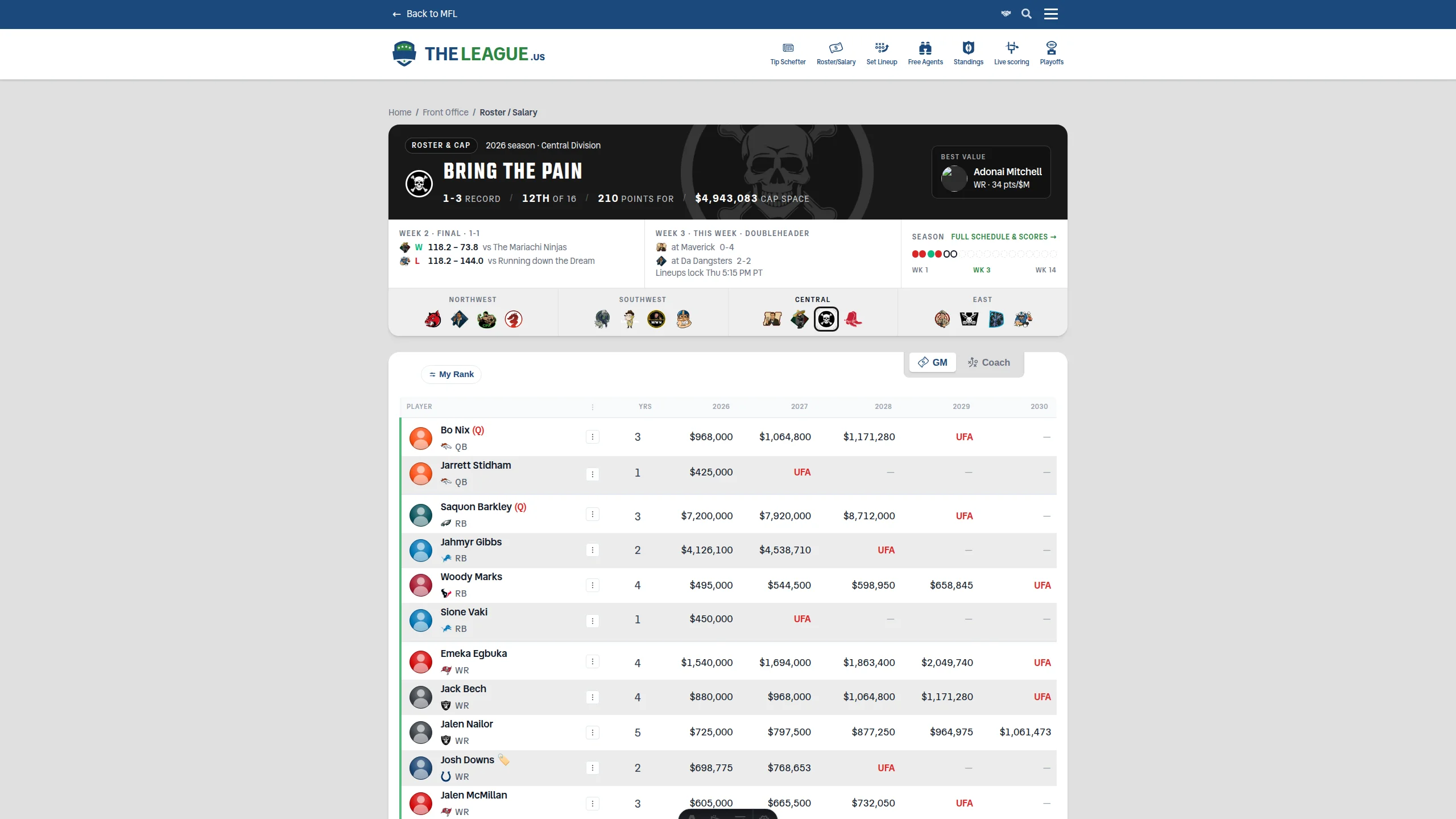
Rosters open in your team's colours
The roster page leads with your club now — its colour, its crest, your record, rank and points — then last week's result, this week's game and every week of the season as a row you can click straight into the schedule. One header, both leagues.
The Full Story
New this week
- Rosters now open in your team's colours, with your last result, next game and season so far — every dot opens that week on the schedule.
- Free Agents now shows a lock next to recently dropped players MFL won't let you add yet, and claiming one explains why instead of failing with HTTP 502.
- Free Agents on your phone is now a clean list — player, points and projection — and tapping anywhere on a row opens his full card, with Claim/Bid and Watch inside.
- On phones, the Rosters header tucks last week's result and the next game behind a Last & next game toggle beside the Full schedule link.
- Positions now wear the same colors everywhere: QB red, RB blue, WR green, TE purple, PK orange, DEF cyan across rosters, charts and the draft room.
- AFL rosters on your phone are now cards like TheLeague's: kickoff, opponent and rank, then weather, spread, O/U and last-3, with the projection up top.
- Tap an AFL roster player for Summary and Game log tabs, this week's matchup, and your trade block, IR, trade and cut options.
- MFL Live's league standings now update live by default, re-ranking as scores change, with Projected and Final views one tap away.
- MFL Live's Top Performances lists each player once, with everyone who started him on a second line, instead of repeating the player for every owner.
- MFL Live has a new Live standings page in its menu: every league you follow on one page, with one Live / Projected / Final switch for all of them.
- Smoother, snappier animations across the site, clearer dark-mode panels and muted text, and friendlier empty states on the playoffs and rivalry pages.
- Throwback Week: standings now show each team's old-school art, with today's team name on a second line underneath.
- Throwback Week: claim any era from an owner who has left the league — first come, first served, one team per look. Your own eras stay yours, and so does your default until you pick another.
Fixes & polish
- Free Agents — When a waiver claim or first-come add fails, the claim window now shows MFL's reason and a link to its add/drop page instead of a bare HTTP error.
- Set Lineup — Set Lineup and Rosters now mark the right NFL bye weeks — they were reading last season's calendar, and Washington and Jacksonville byes never showed at all.
- Live Scoring — Live Scoring's win-probability bar now reads in the same order as the scoreboard: the team on the left gets the left share of the bar, in its own colour.
- Live Scoring — Live Scoring: an open matchup has breathing room below the Week dropdown again, and no longer shows the "updated" status twice.
- Live Scoring — MFL Live sign-in at v2.mfl.football/login now works for every league's owners, not just TheLeague's, so AFL owners can watch all their teams on one board.
- Live Scoring — MFL Live league boards show each outside league's own uploaded team logos again, and only fall back to NFL logos in a league that has none.
- Live Scoring — MFL Live's Live standings no longer add a 0-0 tie before kickoff when a starting lineup includes a player on bye.
- Rosters — AFL rosters now show game weather and the over/under, from the same source TheLeague uses, so one game reads the same in both leagues.
- Design System & Theming — Player cards open from the keyboard (Tab to a name, press Enter), keep focus inside while open, and return you to the player's name when closed.
Everything above shipped in the week of Sep 23-30. Older weeks are in the archive, and the how-to pages for each feature live in the guides.
Message